
Unity Asset
Illuminate 2D: 25Lights Puzzle Mastery Integration Guide
A simple NxN grid puzzle game. Clicking a square toggles that square and its four neighbours; the goal is to turn every square off. Boards are randomly generated each time.
Overview
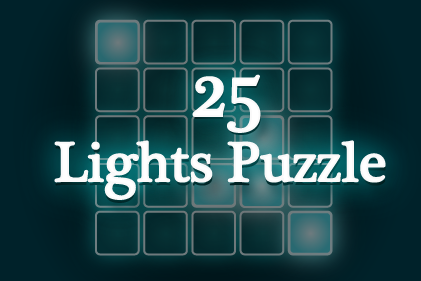
This asset is a simple NxN grid puzzle game. The demo uses a 5×5 grid. Clicking a square toggles the state of that square and its adjacent squares (up, down, left, right). The goal is to turn off all the squares. Puzzles are randomly generated each time. Feel free to incorporate this as a mini-game in your projects.
Directory structure
Feelcerca/Lib/— scripts for the Feelcerca Game Lib.Feelcerca/25LightsPuzzle/— assets and scripts for 25Lights Puzzle.Feelcerca/25LightsPuzzle/Builtin/— prefabs and other assets for 25Lights Puzzle.Feelcerca/25LightsPuzzle/Scenes/— scene files for 25Lights Puzzle.Feelcerca/25LightsPuzzle/Scripts/— scripts for 25Lights Puzzle.
Running the demo in the Unity editor
Open the Demo scene file in Feelcerca/25LightsPuzzle/Scenes/ and run it to check the game's behaviour. Note that different scene files serve different purposes.
Usage (prefabs & scripts)
This asset includes various prefabs in Feelcerca/25LightsPuzzle/Builtin/Prefabs/. To integrate them into your game, refer to the Game scene for placement and adjust the necessary settings in the Inspector.
The Controller prefab is particularly important. By modifying its component values in the Inspector, you can easily change the number of tiles and other display settings.
Key classes
- Cell class: manages the on/off state and display of each tile's light.
- CellSprites class: manages switching between cell sprites.
- Controller class: handles displaying the game board and managing the game as a whole. In particular, you can set actions to fire at various game moments (start, clear, light on/off) using AddOnReadyAction(), AddOnClearAction() and AddOnLightAction().
For a concrete mini-game integration example, refer to the Feelcerca.LightsPuzzle.Game.Manager class and use the classes above.
Methods executed at startup
The [RuntimeInitializeOnLoadMethod(RuntimeInitializeLoadType.BeforeSceneLoad)] attribute causes Feelcerca.LightsPuzzle.System.Boot.RuntimeInit() to run at startup.
Inside this method, essential initialization is performed and the Global scene is additively loaded. The Global scene is then kept alive by the Feelcerca.LightsPuzzle.System.DontDestroy class.
If this startup flow does not fit your requirements, modify the script as necessary.
Online demo
You can try the demo in a web browser here.
Supported platforms
iOS, Android, Windows, Mac and WebGL.
Unity version requirement
Supports Unity 2021.3.30f1 and above.
License
All content included in this asset is copyrighted by Feelcerca Inc. Purchasers are free to use these elements in their own works. However, selling them as a separate material collection or as another asset is not permitted.