
Unity Asset
SimpleRoulette 2D Quick-Integrate Roulette for Unity — Guide
A simple roulette asset you can drop in as a mini-game inside your main game. The stop position is decided before the wheel starts spinning, and the rotation is controlled to match that result.
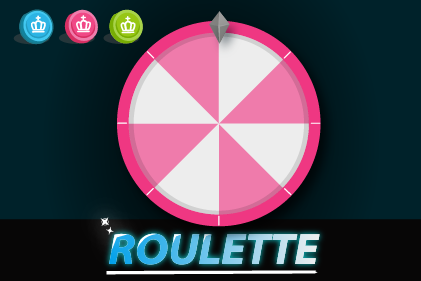
Introduction: features of this asset
SimpleRoulette 2D is a simple roulette asset that can be quickly integrated as a mini-game within your main game. The position where the wheel stops is determined before it starts spinning, and the rotation is controlled based on that result. The Logic class can be subclassed for customization, making it compatible with server-based selection mechanisms.
Use cases
This asset is also used in our game Hungree Bunny.
Directory structure
Feelcerca/Lib/— the various scripts of the Feelcerca Game Lib.Feelcerca/Roulette/— assets and scripts for the roulette feature.Feelcerca/Roulette/Builtin/— materials and prefabs.Feelcerca/Roulette/Scenes/— scene files for the roulette.Feelcerca/Roulette/Scripts/— scripts for roulette operations.
See also: Feelcerca Game Lib — official documentation.
How to run the demo
Open and play the Demo scene file in Feelcerca/Roulette/Scenes/ to check how the roulette behaves.
How to customize
The asset ships with prefabs and scripts you can freely customize. In particular, by editing the Wedges scriptable object in Feelcerca/Roulette/Builtin/Master, you can freely change each item on the roulette wheel.
Key classes in the Feelcerca.Roulette.Game namespace
- Wedge class: sets the icons and angles for the wedge sections of the wheel.
- Wheel class: controls the roulette wheel. Rotation speed, number of rotations and number of wedges can be adjusted from the Inspector.
- Logic (abstract) class: an abstract class intended for subclassing. The demo uses LogicMoc for simple random selection. You can create derived classes such as LogicAPI for server-based selection and customize it to your project.
When integrating this as a mini-game, refer to the Feelcerca.Roulette.Game.Manager class and use the classes above.
Methods executed at startup
The [RuntimeInitializeOnLoadMethod(RuntimeInitializeLoadType.BeforeSceneLoad)] attribute causes Feelcerca.Roulette.System.Boot.RuntimeInit() to run at startup.
Inside this method, essential initialization is performed and the Global scene is additively loaded. The Global scene is then kept alive by the Feelcerca.Roulette.System.DontDestroy class.
If this startup flow does not fit your requirements, modify the script as necessary.
Online demo
You can try the demo in a web browser here.
Supported platforms
iOS, Android, Windows, Mac and WebGL.
Supported Unity version
Unity 2021.3.30f1 or higher.
License
All content included in this asset is copyrighted by Feelcerca Inc. Purchasers are free to use these elements in their own works. However, selling them as a separate material collection or as another asset is not permitted.